
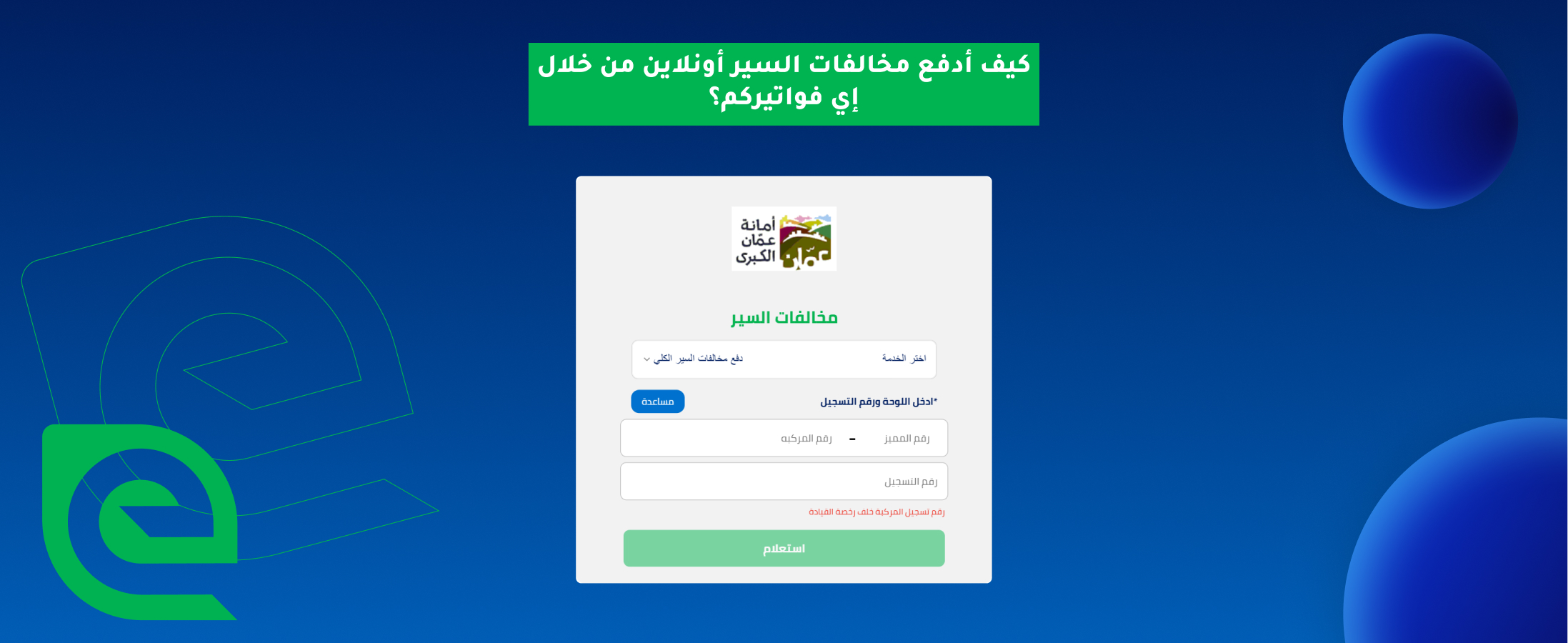
How to Pay Traffic Fines Online via eFAWATEERcom: A Complete Guide
Paying traffic fines online has become a trusted way to settle all types of traffic violations, especially through a reliable platform like eFAWATEERcom. There’s no need to visit the Drivers and Vehicles License Department in person, as each ticket can be managed and paid quickly and securely from any device. By learning how to pay traffic fines through eFAWATEERcom, you can make the process faster, simpler, and more convenient.
So, how do you check your traffic fines in Jordan? What are the steps of traffic fine payment online? And what are the benefits of this digital payment method? Here is everything you need to know about settling driving penalties online in Jordan so you can manage your charges with ease and confidence.
Benefits of Paying Traffic Fines Online
Traffic fine payment through digital channels and trusted portals offers valuable benefits for drivers looking to remain compliant with local regulations while completing payments easily and comfortably. Pay traffic violations online today and take advantage of the following benefits:
1- Convenience
You can pay anytime, anywhere, without having to commute or do any paperwork. A few clicks and taps is all it takes to make an online traffic fine payment.
2- Time-Saving
With secure digital platforms for bill payment, you do not need to wait in long queues or risk getting stuck in traffic. It saves you precious time that you can spend tending to other responsibilities.
3- Immediate Confirmation
Online bill payment systems, like eFAWATEERcom, send immediate confirmation and receipts, reassuring you that the payment has been successfully processed, helping you avoid penalties on time-sensitive charges.
4- Reduced Risk of Penalties
Paying traffic fines online minimizes the risk of extra charges, penalties, and legal issues due to late payments. Settling fines online promptly keeps you legally compliant and gives you peace of mind on the road.
5- Efficient Record-Keeping
All your fines and payments are stored in your account, allowing you to easily track and review your payment history. This reduces mental clutter and supports more organized financial management.
Paying Traffic Fines Online via eFAWATEERcom’s Portal: Step-by-Step
eFAWATEERcom is an official online bill payment and management system in Jordan, allowing users to settle their financial obligations, including bills and traffic tickets, conveniently from home. eFAWATEERcom’s portal provides an intuitive and secure payment experience, making traffic fine payments quick, simple, and worry-free.
Here is how to pay traffic fines online using eFAWATEERcom’s portal step-by-step:
Step 1: Create an Account
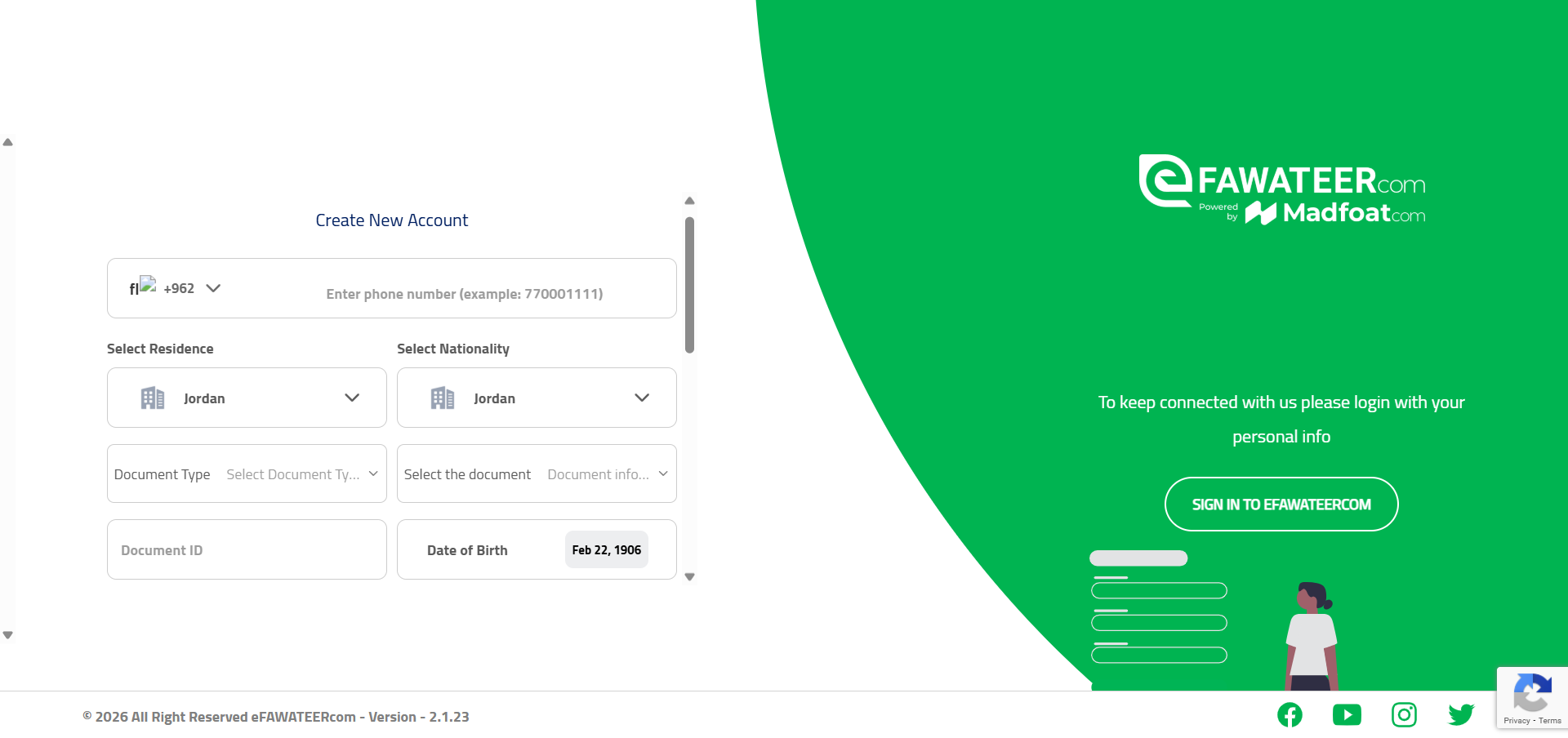
The first step to paying traffic fines online through eFAWATEERcom is to access the portal. For new users, click on the Create New Account button to start.
Step 2: Log in to Your Account
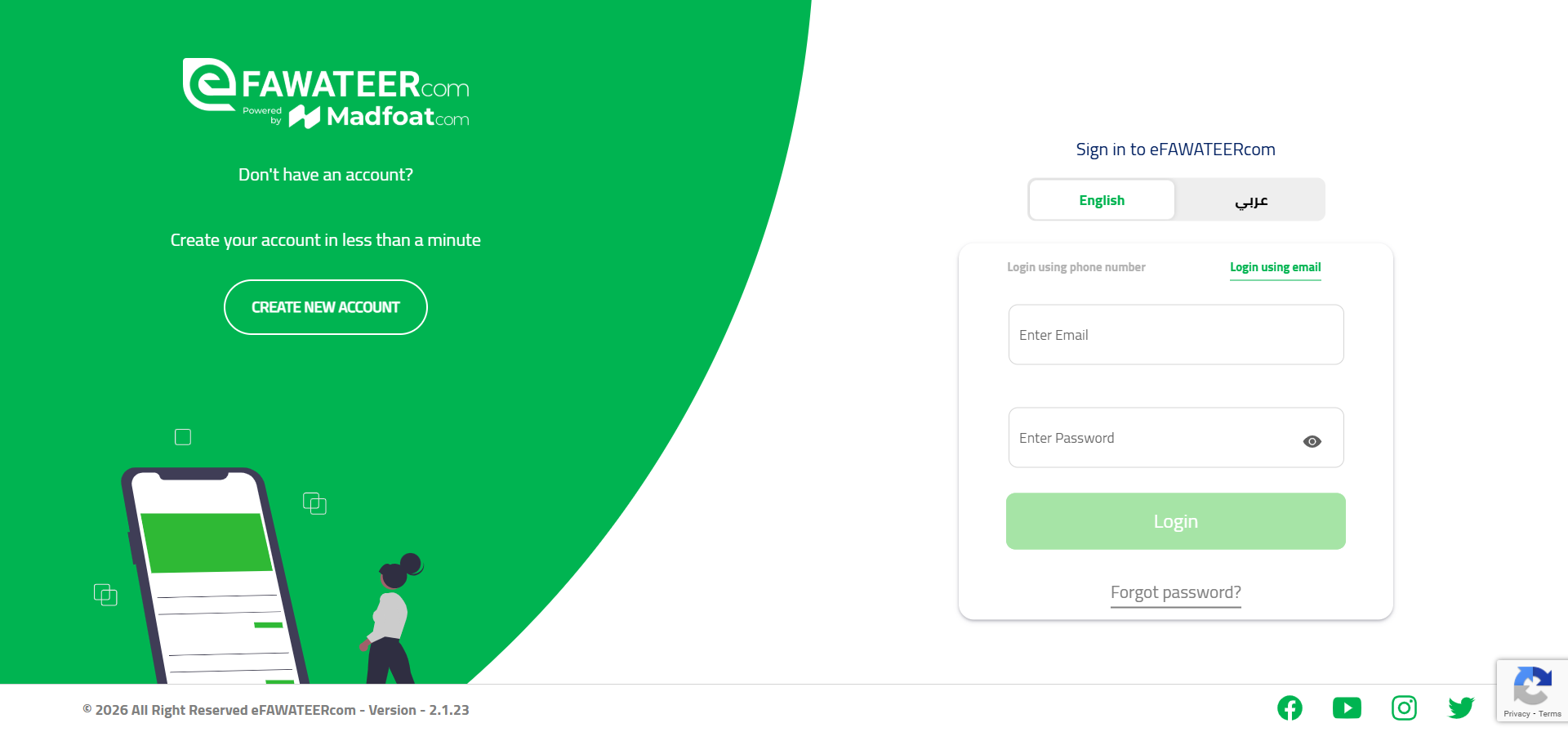
To pay traffic fines through eFAWATEERcom online, log in to your account using your phone number or your email address. If you forgot your password, you can click on the Forgot Password button to help you continue the login process.
Step 3: Choose the Biller
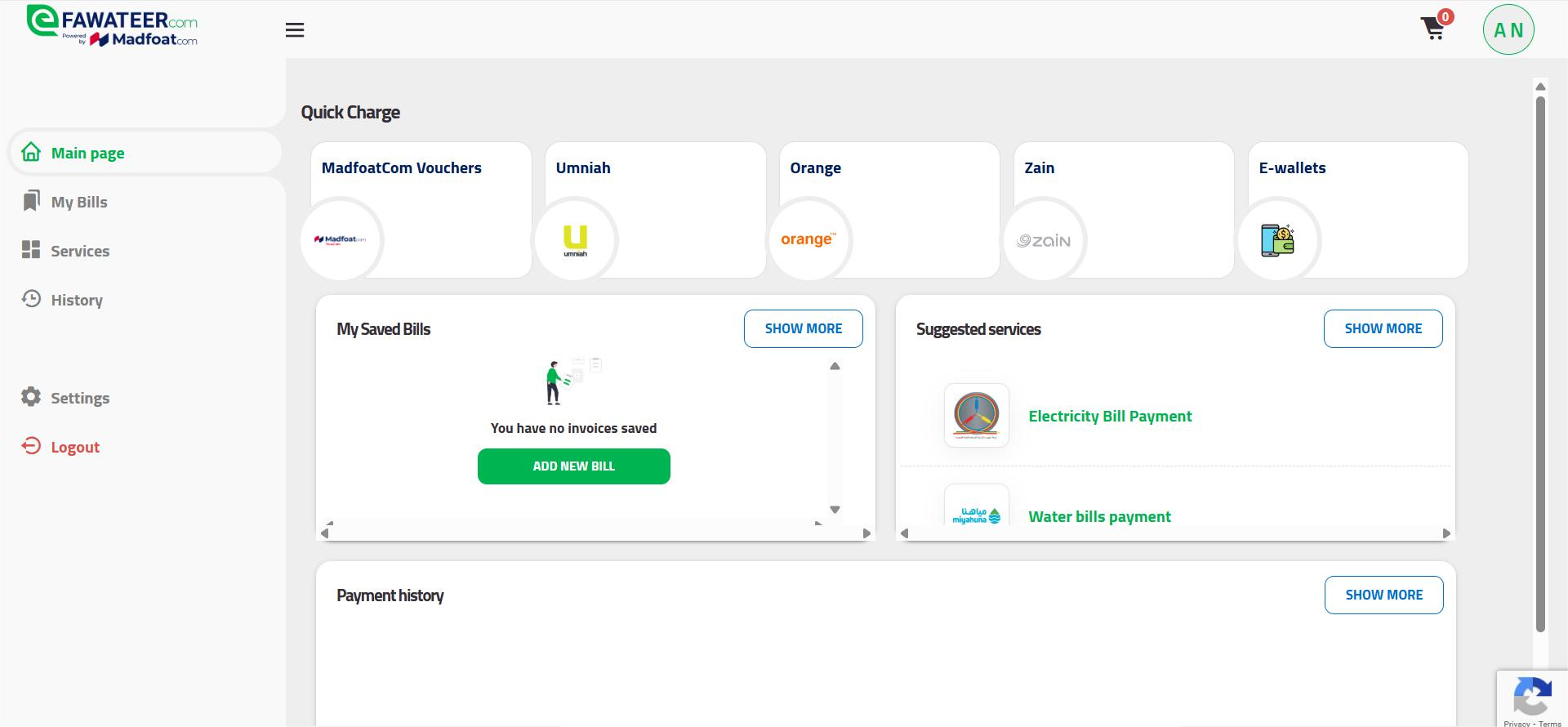
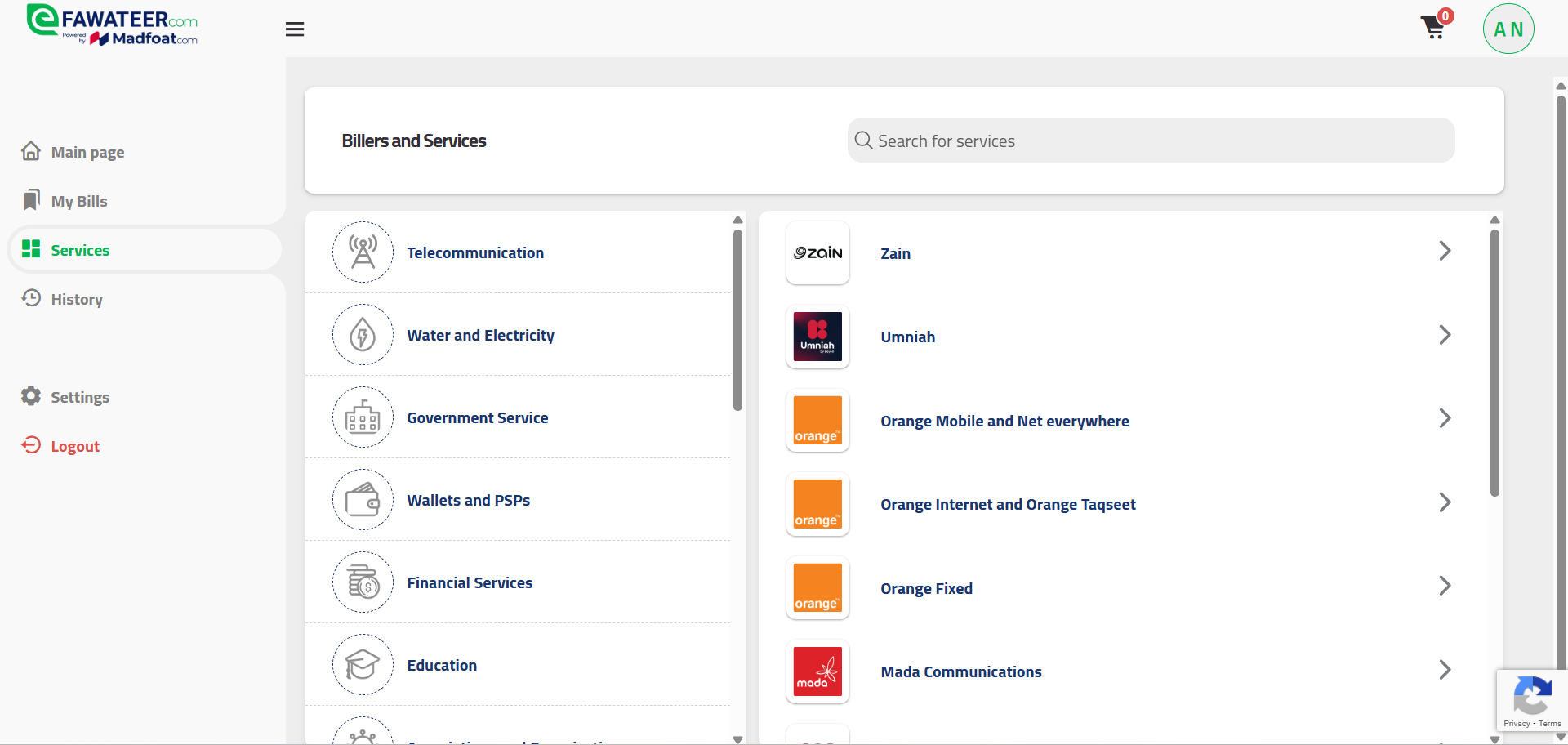
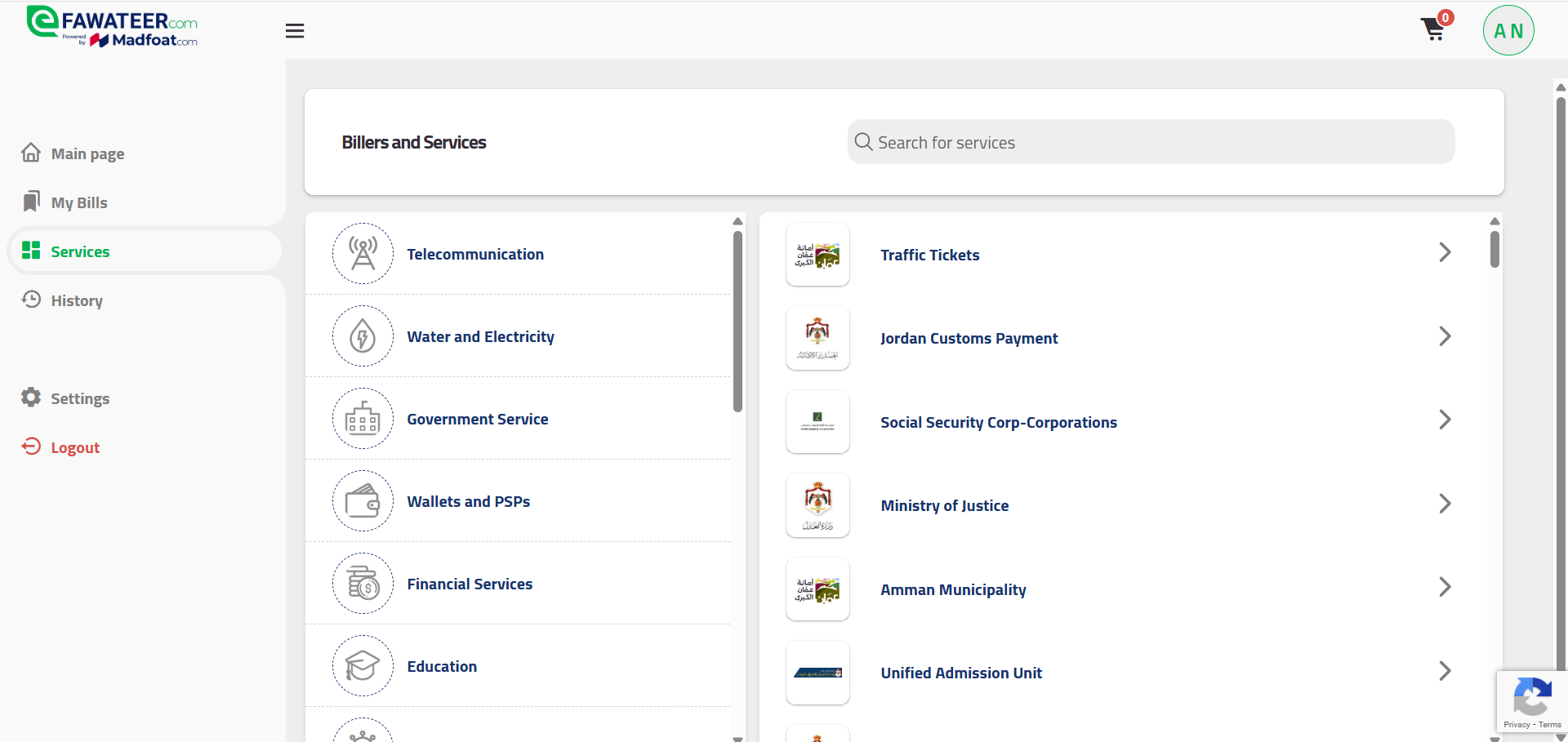
From the main page, choose the Services tab from the left-side menu. It will take you to the Services network, comprising billers from many different sectors like education, telecommunications, e-commerce, and travel and transportation. To make a traffic fine payment, choose the Government Service option.
Step 4: Enter Required Details
To proceed with traffic fine payment through eFAWATEERcom’s portal, select the type of payment you want to advance. The Traffic Tickets option includes fines issued for violations committed when driving, such as speeding, running a red light, illegal parking, and not wearing a seatbelt. As for Partial Traffic Tickets, it allows you to pay part of the total fine amount, but only if the violation allows partial settlement or installments, or else full payment is required.
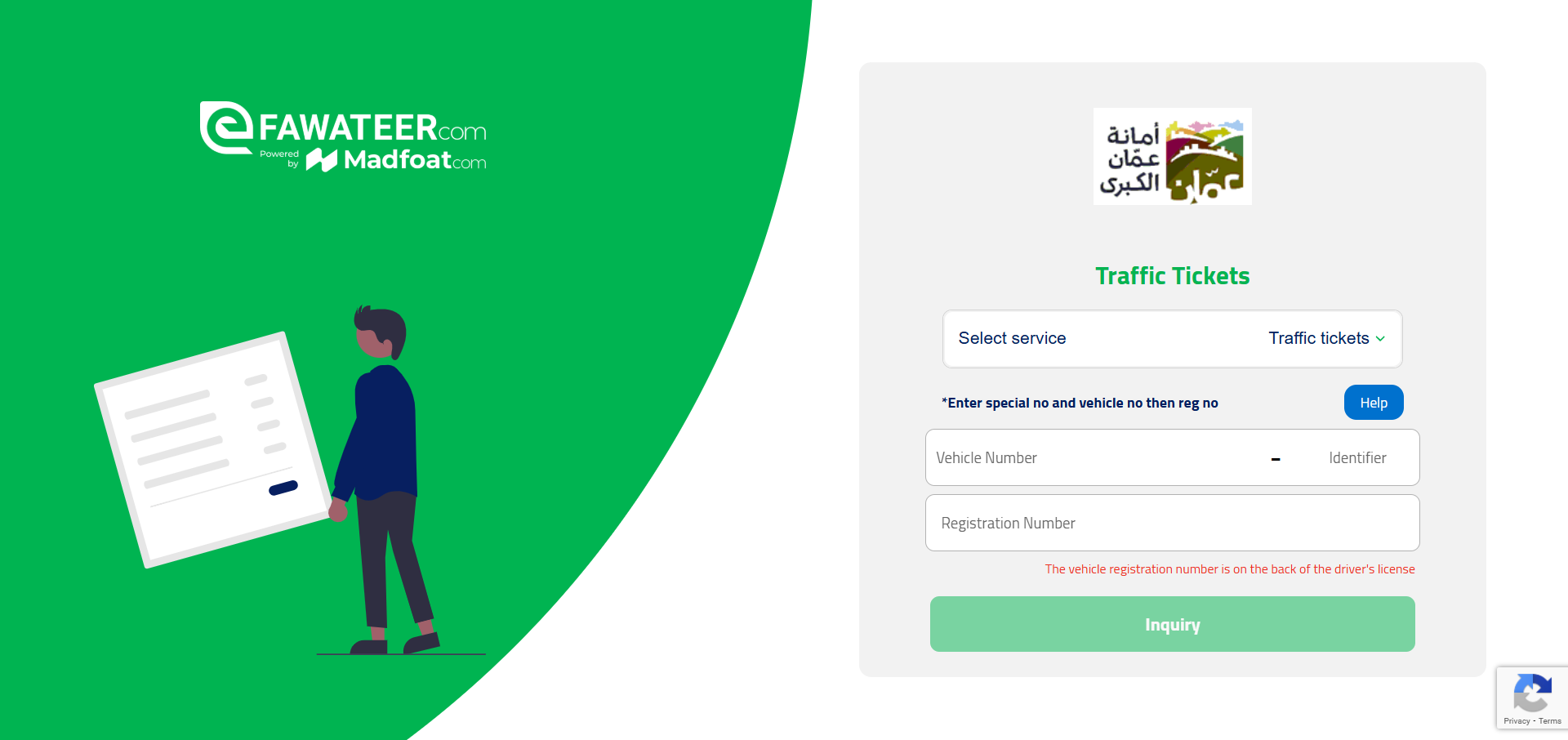
You will need to provide either one of the following, according to the selected criteria:
- For traffic fines: Enter the distinguishing code (or identifier), vehicle number, and the registration number.
- For partial traffic tickets: Type in the e-payment number provided in the issued ticket.
- For driver license tickets: Insert the e-payment number to proceed.
Click on the blue Help button if you need any additional assistance with these requirements.
Step 5: Select a Payment Method
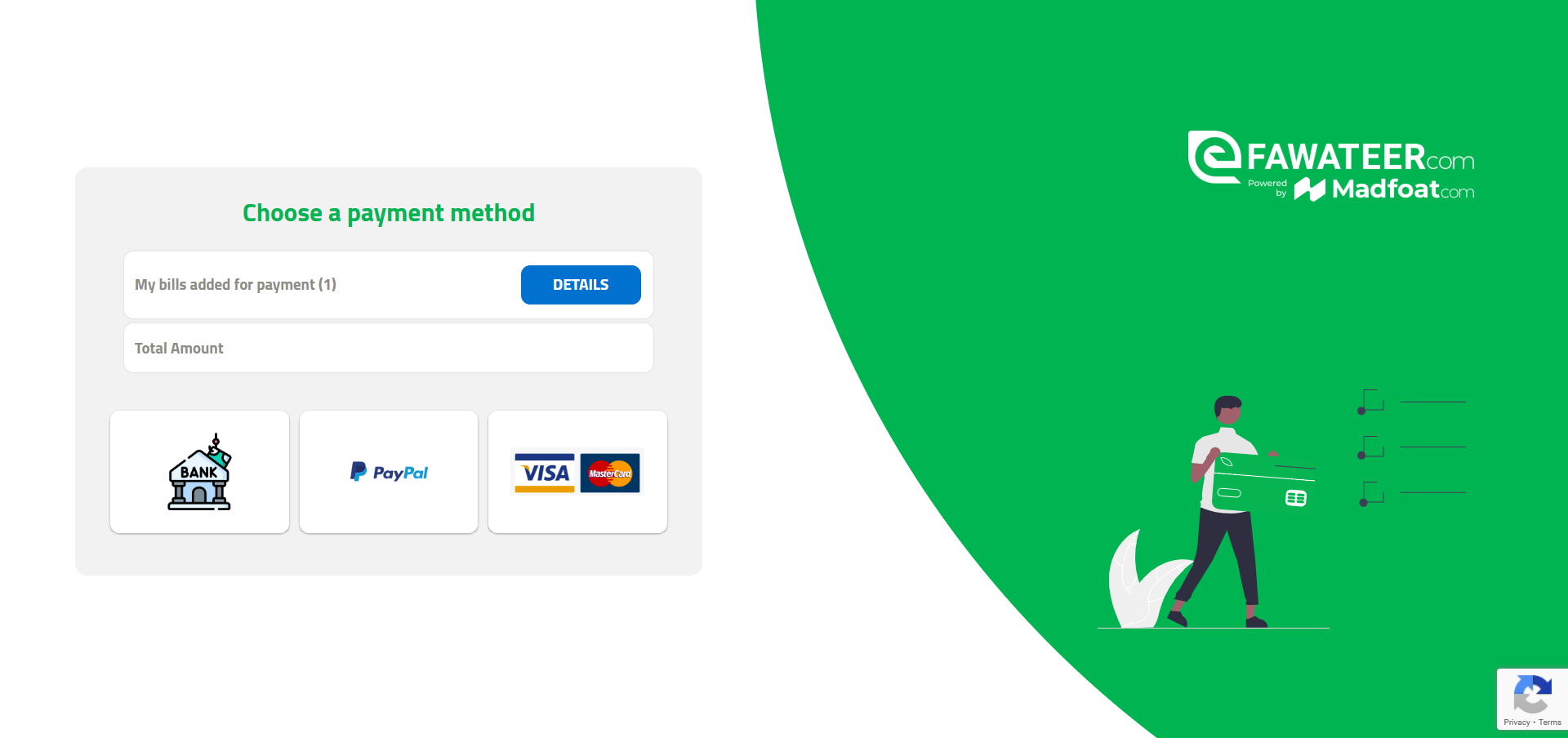
At this point of the process, you need to choose a suitable payment method. When paying traffic fines online through eFAWATEERcom’s portal, you can choose to pay with a direct bank transfer or through PayPal or your Visa / Mastercard.
Step 6: Receive Confirmation
Finally, you will receive a receipt confirming your payment, confirming that your traffic fines have been paid successfully. This will help prevent additional penalties and keep a clear record of your payments for future reference. Log out of your account for better privacy, especially if you are using a shared device.
Note: You can also make traffic fine payments online through eFAWATEERcom’s application, designed with an intuitive interface and operated with the highest levels of security. Download eFAWATEERcom’s application from Google Play or the App Store now for easy bill payment online.
How to Make Online Traffic Fine Payment Even Easier
Paying traffic tickets on eFAWATEERcom is a simple process, yet you can make it even easier with the following tips:
1. Have your license plate number and fine e-payment number ready beforehand so you can avoid a messy and rushed search.
2. Double-check your PayPal, card, or banking information before continuing with the payment, preventing you from re–entering those same details.
3. For enhanced security, use your Wi-Fi network at home or your mobile data. It is best to avoid using public Wi-Fi when entering critical data like those related to your bank account.
4. Bookmark the portal and save it in your browser. This simple step will make payment easier and keep you from accidentally using fraudulent sites.
5. To check your traffic fines in Jordan through eFAWATEERcom’s portal, select the proper ticket type and enter the needed information to review the due amount.
6. Ensure your debit or credit card hasn’t expired so the transaction is completed smoothly and successfully.
These tips on how to pay traffic fines online via eFAWATEERcom’s portal guarantee users an easy, convenient, and secure way to settle traffic tickets and violations.
How to Pay via eFAWATEERcom’s App for the Driver and Vehicle Licensing Department
The Driver and Vehicle Licensing Department is responsible for issuing, renewing, and updating driving licenses and vehicle registrations, making electronic license fee payment an essential step in maintaining valid records. Completing your vehicle licensing electronically via eFAWATEERcom’s app ensures that your license and vehicle details remain compliant with local regulations without the need for in-person visits.
To complete your license fee payment via eFAWATEERcom’s app, simply log in to your account, select the appropriate biller from the services page, enter the e-payment number associated with your request, and proceed with the transaction. This streamlined process allows you to manage vehicle licensing electronically in a secure and convenient way.
eFAWATEERcom for Online Traffic Fines Payment and More
eFAWATEERcom, the official online bill payment and management system in Jordan, provides users with an extensive network of billers, allowing them to pay different types of bills and charges like traffic violations. Access eFAWATEERcom’s services today to check, manage, and pay all your financial obligations with ease and peace of mind.
With eFAWATEERcom, payments are made easy, fast, and secure.
Access the portal now to get started.
Learn more: How to Pay Electricity Bill Online