

How to Pay Social Security in Jordan Through eFAWATEERcom
Do you need to pay your Social Security contributions but aren't sure how?
Paying Social Security in Jordan has become easier with the development of electronic services that allow you to settle outstanding contributions without visiting the relevant authorities. Whether you are an individual or a business owner,eFAWATEERcom makes it easier to learn how to pay Social Security online, complete your payment conveniently, and keep track of your financial obligations on time.
In this guide, we’ll explain how to pay Social Security through eFAWATEERcom, how to check outstanding amounts before making a payment, and why paying on time matters, including the potential consequences of late payments.
What Are the Types of Social Security Contributions in Jordan?
Social Security contributions in Jordan vary depending on the nature of employment and the category covered by the Social Security Law. They include contributions for employees working in establishments, contributions payable by employers, and voluntary contributions for individuals who meet the eligibility requirements.
1. Individual Contributions: These include contributions payable by insured individuals, whether they are employed by an establishment or voluntarily enrolled in Social Security under the applicable conditions. The payment process varies depending on the contributor’s category and type of coverage.
2. Establishment Contributions: Establishments covered by Social Security are required to register their employees and pay the applicable contributions in accordance with the approved rates and regulations. These contributions include the employer’s share as well as the employee’s share, which is deducted from their salary in accordance with the law.
3. Administrative Staff Contributions: This category covers contributions designated for administrative staff under the classification adopted by the Social Security Corporation. Payment requirements vary depending on the type of contribution.
The amount payable also varies according to the contributor’s category, the salary subject to deductions, and the applicable regulations. Therefore, we recommend checking your outstanding balance through the official channels of the Social Security Corporation before proceeding with online payment through eFAWATEERcom.
Read more: How to Pay for a Work Permit Online in Jordan
How to Pay Social Security Online Through eFAWATEERcom
You can pay your Social Security contributions online through eFAWATEERcom by following a few simple steps, from logging in to your account to completing the payment and receiving a receipt confirming that the transaction was successful.
1. Log In to eFAWATEERcom
Start by visiting the eFAWATEERcom platform and signing in with your account credentials. If you are using the platform for the first time and do not have an account yet, you will need to create one to access the available services and make payments.
Make sure to provide accurate information when registering. Once your account is set up, log in to access the homepage and continue with the payment process.
2. Go to the Homepage
After logging in successfully, you will be directed to the eFAWATEERcom homepage, where you can access the available services and bills for payment. From this page, you can start searching for the Social Security service without navigating through unrelated sections.
3. Select the Services Section
From the homepage, go to the (Services) section to access the different categories of services available for online payments. These include government services, telecommunications, water, and electricity, among others. Make sure to select the appropriate category to find the Social Security Corporation and continue with your payment.
4. Select Government Services
From the list of available services, select (Government Services) to access the government entities supported by the platform for electronic payments. This step helps narrow down your search and makes it easier to find the entity associated with the outstanding amount you need to pay. You can then search through the list of available billers.
5. Select the Biller
From the list of billers, search for the Social Security Corporation and select it to access the relevant service. Make sure you choose the correct biller before proceeding, as this determines which entity will receive your payment. Once you have selected the Social Security Corporation, follow the on-screen instructions and enter the required information based on the service you wish to pay for.
Learn more about the list of authorized billers on eFAWATEERcom
6. Choose a Payment Method
After selecting the biller and entering the required information, proceed to the available payment options and choose the method that works best for you. Before confirming the transaction, review the information you have entered, including any identification details and information related to your outstanding contributions. Checking these details helps reduce the risk of errors that could prevent the payment from going through or require you to repeat the process.
7. Receive Your Payment Receipt
Review the transaction details and the amount due, making sure all the information is correct before confirming the payment. Then, follow the on-screen instructions to complete the transaction. Once the payment is successful, you will receive a receipt confirming that the transaction has been completed. Keep this receipt for future reference or as proof that you have paid your Social Security contributions online.
How to Check Your Social Security Contributions in Jordan
Before paying Social Security fees in Jordan, it is important to check the outstanding amounts and review your contribution details. You can access your contribution records through the official website of the Social Security Corporation. Go to the Electronic Services section and select the service that applies to your situation, whether you are an individual contributor or a business owner. Then, enter the required information and follow the on-screen instructions to review your records.If you cannot find the information you need, you can contact the SSC Contact Center at 117117 or visit your nearest branch before making a payment.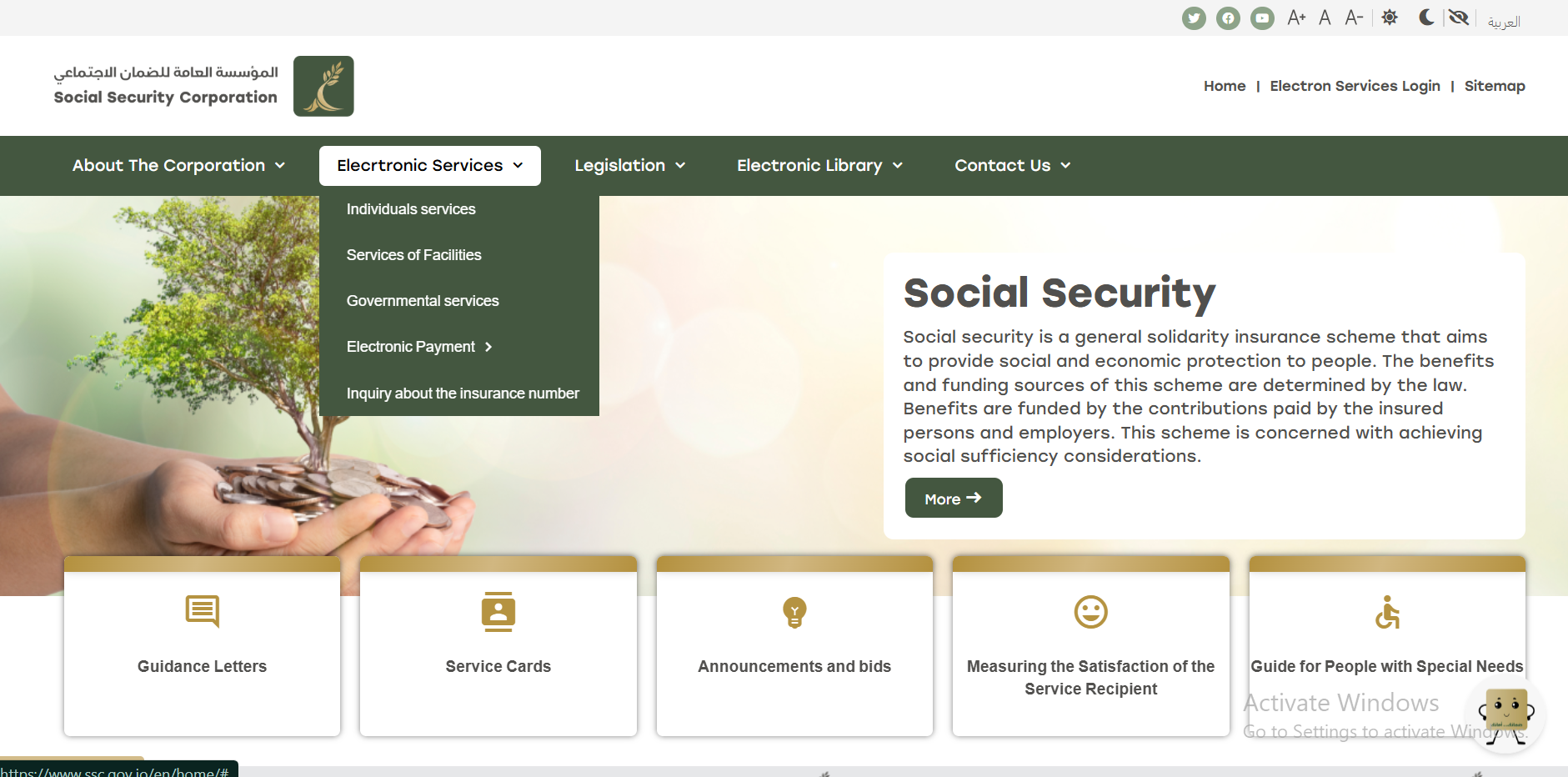
What Happens If You Don’t Pay Social Security Contributions?
The consequences of late Social Security payments vary depending on the type of contribution.
For Businesses: Delays in paying Social Security contributions may result in late payment penalties or interest charges. They may also affect the completion of certain transactions, such as obtaining a clearance certificate.
For Individuals: Delays in voluntary contributions may lead to the suspension of coverage or result in overdue months not being counted toward the contribution period required for retirement benefits.
To understand the implications for your specific situation and confirm the applicable procedures and outstanding amounts, we recommend contacting the Social Security Corporation directly. Once you have confirmed the details, you can pay your outstanding contributions online through eFAWATEERcom.
Frequently Asked Questions (FAQs) About Social Security Payments
Below are answers to some of the most frequently asked questions about paying social security contributions online in Jordan.
1. Can I Pay Social Security Contributions for Previous Months?
This depends on the type of contribution, the insured person’s circumstances, and the applicable regulations. To find out whether you can pay contributions for previous months, we recommend contacting the Social Security Corporation to confirm the outstanding amounts and the required procedures before making a payment.
2. How Can I Confirm That My Social Security Payment Has Been Recorded After Paying Online?
Keep the payment receipt issued after the transaction is completed successfully. Then, check whether your contribution records or outstanding balances have been updated through the Social Security Corporation’s electronic services. If the payment does not appear, contact the corporation and provide the transaction details and payment receipt so they can verify it.
3. What Should I Do If the Amount Was Deducted From My Account but the Payment Was Not Confirmed?
If the amount was deducted without confirmation that the payment was completed, first check the transaction status through the payment channel you used, whether eFAWATEERcom, a banking app, or an electronic wallet. Keep the transaction reference number and any deduction notification, then contact the payment service provider to verify the transaction status before attempting to pay again. This can help you avoid being charged twice.
4. Do Social Security Contribution Amounts Vary From Person to Person?
Yes. Social Security contribution amounts vary depending on the type of contribution, the salary subject to Social Security deductions, and the rates set by law. Contribution calculations also differ between employees working for establishments and individuals who contribute voluntarily. Therefore, there is no single contribution amount that applies to everyone.
Social Security Payments: Pay Easily Through eFAWATEERcom
Managing financial transactions no longer has to take a great deal of time and effort. Thanks to electronic payment services, you can now manage and settle your outstanding payments easily and conveniently. Keeping track of your Social Security obligations and outstanding amounts also helps you stay organized financially and avoid late payments.
Whether you are paying your personal contributions or managing your establishment’s obligations, choosing the right payment channel can save you considerable time and effort. This is where eFAWATEERcom comes in, offering a wide range of payment services that allow you to pay your bills online without having to visit traditional payment locations.
Start organizing your payments today, check your outstanding Social Security contributions, and pay them through eFAWATEERcom in just a few simple steps.
Learn more:How to Pay Property Tax Online in Jordan: Everything You Need to Know
Explore more:Pay Your Water Bill Online Through eFAWATEERcom: Easy Steps
Read also:Tax Invoice Guide: Definition, Requirements & More